# Seats

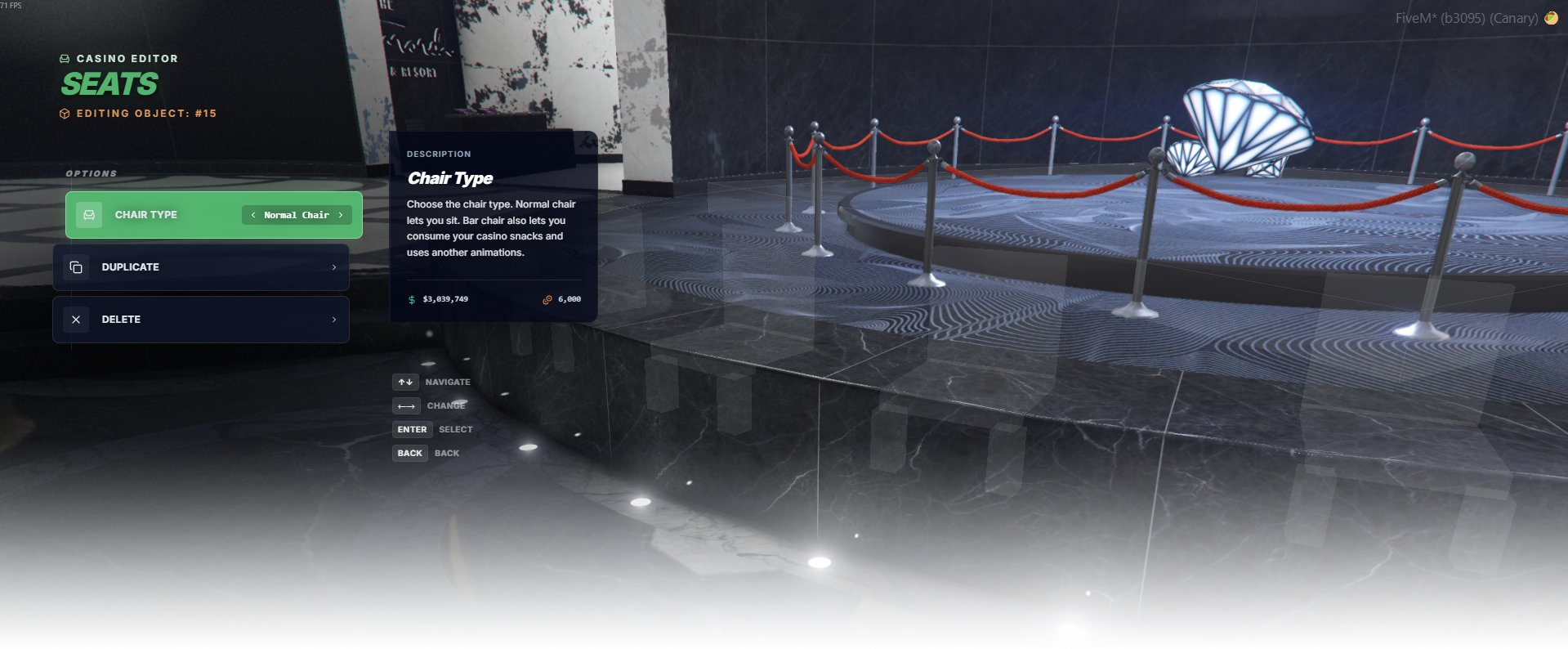
The Seats editor allows you to quickly create sit interaction spots anywhere on the map. It does not spawn any chairs or objects — it simply defines a position and rotation and marks that location as a usable seat.

When a player approaches the defined seat location, they can interact with it (for example by pressing E) to sit down using the configured seating behavior.

<div data-full-width="false"><figure><img src="https://1037498771-files.gitbook.io/~/files/v0/b/gitbook-x-prod.appspot.com/o/spaces%2F-MZErcztD5BvrKnwRGJq%2Fuploads%2Fgit-blob-fff2c4cb250e387f3b543dca760fbfc7e462fb39%2Fcapt_seats.png?alt=media" alt=""><figcaption></figcaption></figure></div>

### Editor Settings

<table data-full-width="false"><thead><tr><th>Setting</th><th>Type</th><th>Info</th></tr></thead><tbody><tr><td>Seat type</td><td>Select/List</td><td>Choose seat behavior type (<code>1</code> normal seat, <code>2</code> chair/bar seat)</td></tr><tr><td>Duplicate seat</td><td>Action</td><td>Create a copy of selected seat at the same coordinates/heading</td></tr><tr><td>Delete seat</td><td>Action</td><td>Delete selected seat</td></tr><tr><td>Add seat</td><td>Action</td><td>Create a new local seat near current player position</td></tr><tr><td>Add global seat</td><td>Action</td><td>Open global seat menu for model-wide seat definitions</td></tr></tbody></table>

## Preview / Seat Type

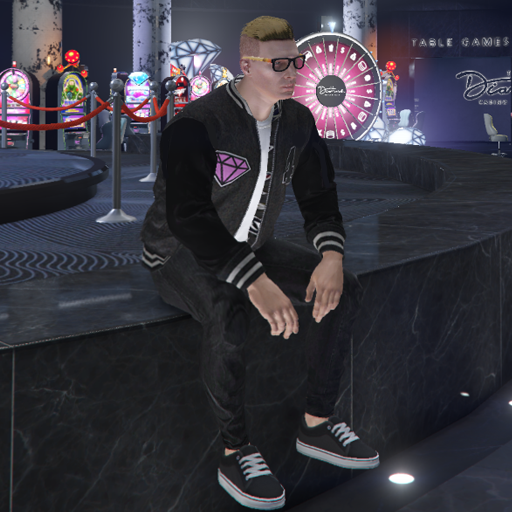
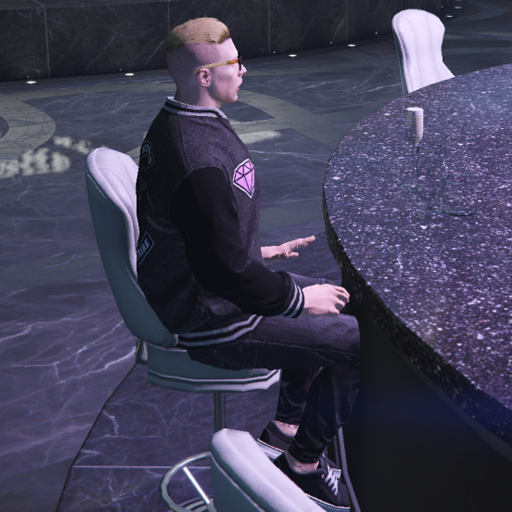
<table data-full-width="false"><thead><tr><th width="127">Preview</th><th>Seat Type</th><th>Use case</th></tr></thead><tbody><tr><td><img src="https://1037498771-files.gitbook.io/~/files/v0/b/gitbook-x-prod.appspot.com/o/spaces%2F-MZErcztD5BvrKnwRGJq%2Fuploads%2Fgit-blob-6174a0db86d23c6b05dd9946a10a00b5eee56f7a%2Fseat_normal.png?alt=media" alt=""></td><td>Normal seat</td><td>Standard sit spots using normal seat enter/idle behavior</td></tr><tr><td><img src="https://1037498771-files.gitbook.io/~/files/v0/b/gitbook-x-prod.appspot.com/o/spaces%2F-MZErcztD5BvrKnwRGJq%2Fuploads%2Fgit-blob-10a18ac15ed129bc3f8f2658743ad4bf65474daa%2Fseat_bar.png?alt=media" alt=""></td><td>Chair/Bar seat</td><td>Chair/bar-like sit spots using the alternate seating flow</td></tr></tbody></table>

## GlobalSeats (important)

Global seats are model-based seat definitions in `rcore_casino/configs/seats.lua` under `GlobalSeats`.

Use these when you want a single model to act as a seat everywhere in the map/interior, with optional animation offsets.

<table data-full-width="false"><thead><tr><th>Config field</th><th>Type</th><th>Info</th></tr></thead><tbody><tr><td><code>name</code></td><td>Text</td><td>Display name for global seat definition</td></tr><tr><td><code>model</code></td><td>Hash/Number</td><td>Object model hash used for global seat matching</td></tr><tr><td><code>type</code></td><td>Number</td><td>Seat type (<code>1</code> normal, <code>2</code> chair/bar)</td></tr><tr><td><code>offset</code></td><td>Vector3</td><td>Animation position offset applied when using this model</td></tr><tr><td><code>offsetHeading</code></td><td>Number</td><td>Heading offset applied to seating animation</td></tr></tbody></table>


---

# Agent Instructions: Querying This Documentation

If you need additional information that is not directly available in this page, you can query the documentation dynamically by asking a question.

Perform an HTTP GET request on the current page URL with the `ask` query parameter:

```
GET https://documentation.rcore.cz/paid-resources/rcore_casino/rcore_casino-2/editor/seats.md?ask=<question>
```

The question should be specific, self-contained, and written in natural language.
The response will contain a direct answer to the question and relevant excerpts and sources from the documentation.

Use this mechanism when the answer is not explicitly present in the current page, you need clarification or additional context, or you want to retrieve related documentation sections.