# Bouncers

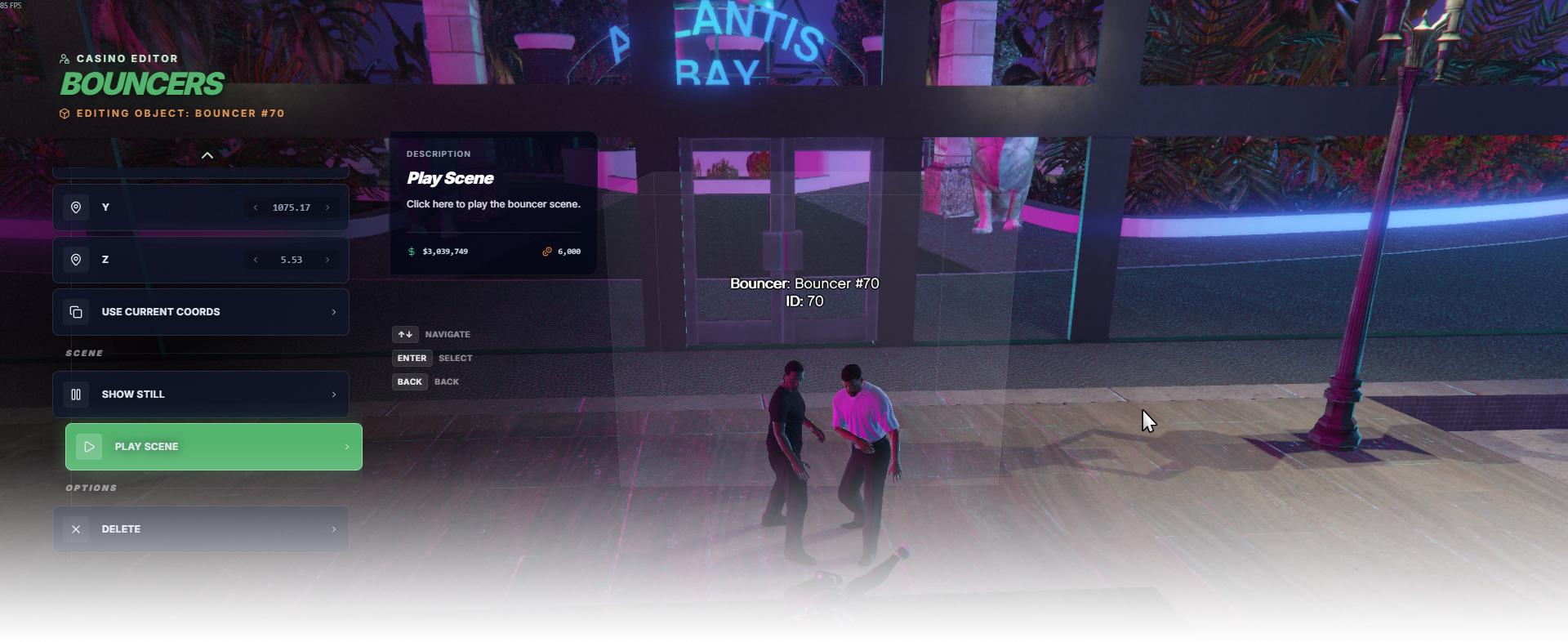
The **Bouncers** editor page manages bouncer scene setups, including bouncer models, scene position/heading, and preview camera position.

<div data-full-width="false"><figure><img src="https://1037498771-files.gitbook.io/~/files/v0/b/gitbook-x-prod.appspot.com/o/spaces%2F-MZErcztD5BvrKnwRGJq%2Fuploads%2Fgit-blob-680f9b76f83a74a7a9dd6c692660b5babc52c952%2Fcapt_bouncer.png?alt=media" alt=""><figcaption></figcaption></figure></div>

### Editor Settings

<table data-full-width="false"><thead><tr><th>Setting</th><th>Type</th><th>Info</th></tr></thead><tbody><tr><td>Name</td><td>Text</td><td>Choose a display name for the bouncer setup</td></tr><tr><td>Bouncer model #1</td><td>Select/List</td><td>Select model for first bouncer actor</td></tr><tr><td>Bouncer model #2</td><td>Select/List</td><td>Select model for second bouncer actor</td></tr><tr><td>Scene coords (X/Y/Z)</td><td>Vector3</td><td>Set world position of bouncer scene</td></tr><tr><td>Heading</td><td>Number/List</td><td>Set scene heading/orientation</td></tr><tr><td>Camera coords (X/Y/Z)</td><td>Vector3</td><td>Set preview camera position used for bouncer scene</td></tr><tr><td>Use current camera coords</td><td>Action</td><td>Copy current player position into camera coordinates</td></tr><tr><td>Show still preview</td><td>Action</td><td>Show frozen scene preview (phase 0.0)</td></tr><tr><td>Play preview</td><td>Action</td><td>Play animated bouncer scene preview</td></tr><tr><td>Add bouncer setup</td><td>Action</td><td>Create a new bouncer scene near current player position</td></tr><tr><td>Delete bouncer setup</td><td>Action</td><td>Delete selected bouncer setup</td></tr></tbody></table>

## BouncerModels

Selectable bouncer ped models are defined in `rcore_casino/configs/bouncers.lua` in `BouncerModels`.

Only models from this list can be selected when cycling bouncer actors in editor.

```lua
BouncerModels = {
  "s_m_m_bouncer_01",
  "s_m_m_bouncer_02"
}
```