# Blip Icons

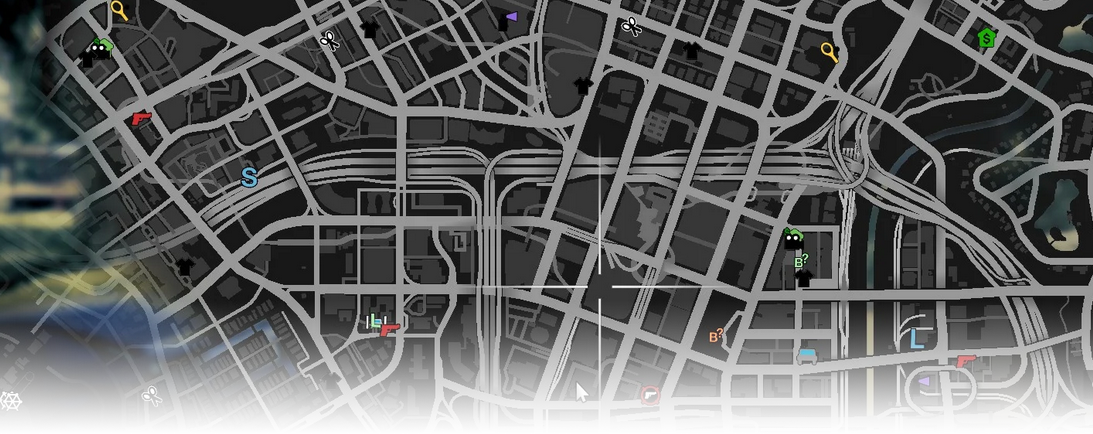
The **Blip Icons** editor page manages map blips (icon, color, scale, range, and coordinates) that you can use across the map.

<div data-full-width="false"><figure><img src="https://1037498771-files.gitbook.io/~/files/v0/b/gitbook-x-prod.appspot.com/o/spaces%2F-MZErcztD5BvrKnwRGJq%2Fuploads%2Fgit-blob-fdbd73cce221026d2d0b66a8fcfc52806660a80a%2Fcapt_blips.png?alt=media" alt=""><figcaption></figcaption></figure></div>

### Editor Settings

<table data-full-width="false"><thead><tr><th>Setting</th><th>Type</th><th>Info</th></tr></thead><tbody><tr><td>Name</td><td>Text</td><td>Choose a display name for the blip</td></tr><tr><td>Blip icon id</td><td>Number/Text</td><td>Set icon id from GTA/FiveM blip icon definitions</td></tr><tr><td>View icon catalog</td><td>Action</td><td>Open icon catalog and select from `BlipIconDefs` list</td></tr><tr><td>Blip color</td><td>Select/List</td><td>Set blip color id (`BlipColors` mapping)</td></tr><tr><td>Blip size</td><td>Select/List</td><td>Set blip scale (step-based)</td></tr><tr><td>Short range</td><td>Toggle</td><td>Show only when nearby/minimap range rules apply</td></tr><tr><td>Coords (X/Y/Z)</td><td>Vector3</td><td>Set blip world coordinates</td></tr><tr><td>Use current coords</td><td>Action</td><td>Copy current player position into blip coordinates</td></tr><tr><td>Add blip</td><td>Action</td><td>Create a new blip at current player position</td></tr><tr><td>Delete blip</td><td>Action</td><td>Delete selected blip</td></tr></tbody></table>

## BlipIconDefs / BlipColors

Editor icon catalog and color labels are sourced from `rcore_casino/const_blips.lua` (`BlipIconDefs`, `BlipColors`).

Use the catalog page in editor for visual icon selection instead of manually searching ids.

## Useful Blip Icons

<table data-full-width="false"><thead><tr><th width="127" align="center">Preview</th><th width="93" align="center">ID</th><th>Name</th></tr></thead><tbody><tr><td align="center"><img src="https://1037498771-files.gitbook.io/~/files/v0/b/gitbook-x-prod.appspot.com/o/spaces%2F-MZErcztD5BvrKnwRGJq%2Fuploads%2Fgit-blob-616da9fec4621d808a2a6bbc9376163498461a5a%2F679.png?alt=media" alt="" data-size="original"></td><td align="center">679</td><td><code>radar_casino</code></td></tr><tr><td align="center"><img src="https://1037498771-files.gitbook.io/~/files/v0/b/gitbook-x-prod.appspot.com/o/spaces%2F-MZErcztD5BvrKnwRGJq%2Fuploads%2Fgit-blob-a6fef848967169f63e1fc1b717267bb5c0b19086%2F680.png?alt=media" alt=""></td><td align="center">680</td><td><code>radar_casino_table_games</code></td></tr><tr><td align="center"><img src="https://1037498771-files.gitbook.io/~/files/v0/b/gitbook-x-prod.appspot.com/o/spaces%2F-MZErcztD5BvrKnwRGJq%2Fuploads%2Fgit-blob-2b6b6822060a446b14450db172f6eb81b481fd27%2F681.png?alt=media" alt=""></td><td align="center">681</td><td><code>radar_casino_wheel</code></td></tr><tr><td align="center"><img src="https://1037498771-files.gitbook.io/~/files/v0/b/gitbook-x-prod.appspot.com/o/spaces%2F-MZErcztD5BvrKnwRGJq%2Fuploads%2Fgit-blob-1966762d226f48cae12071145edf0c5a331d6de0%2F682.png?alt=media" alt=""></td><td align="center">682</td><td><code>radar_casino_concierge</code></td></tr><tr><td align="center"><img src="https://1037498771-files.gitbook.io/~/files/v0/b/gitbook-x-prod.appspot.com/o/spaces%2F-MZErcztD5BvrKnwRGJq%2Fuploads%2Fgit-blob-45aea2bfa7a932a7bfaab8d371ddce0cb567a1ab%2F683.png?alt=media" alt=""></td><td align="center">683</td><td><code>radar_casino_chips</code></td></tr><tr><td align="center"><img src="https://1037498771-files.gitbook.io/~/files/v0/b/gitbook-x-prod.appspot.com/o/spaces%2F-MZErcztD5BvrKnwRGJq%2Fuploads%2Fgit-blob-13286f2e63f7a478acc339e81f6c33f7cf3303ba%2F684.png?alt=media" alt=""></td><td align="center">684</td><td><code>radar_casino_horse_racing</code></td></tr><tr><td align="center"><img src="https://1037498771-files.gitbook.io/~/files/v0/b/gitbook-x-prod.appspot.com/o/spaces%2F-MZErcztD5BvrKnwRGJq%2Fuploads%2Fgit-blob-073208e35194b2c689fbfd818f79fc013ee0d180%2F878.png?alt=media" alt=""></td><td align="center">878</td><td><code>radar_casino_prep</code></td></tr></tbody></table>

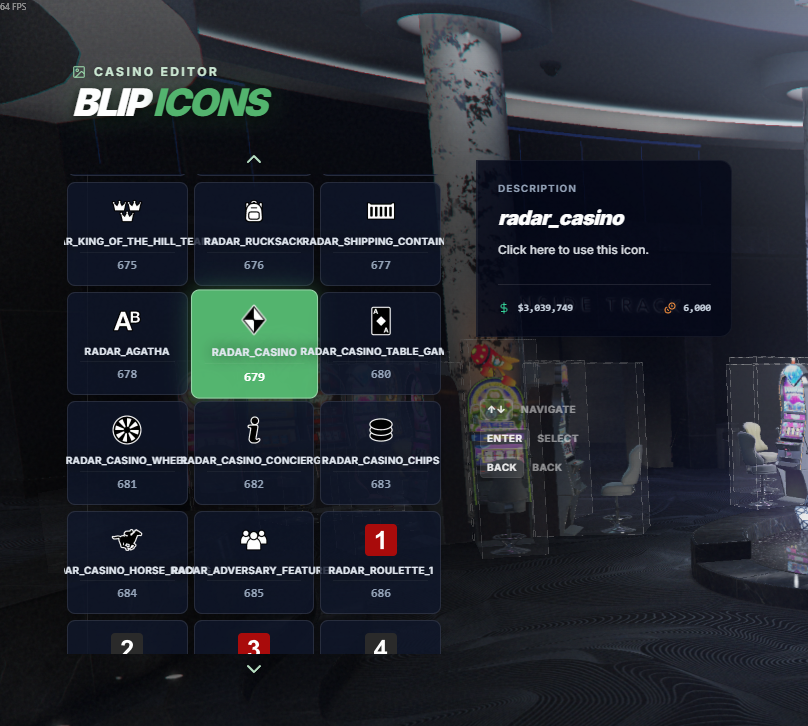
## Blip Catalog

Feel free to check the blip catalog in the menu, which lets you find the best blip icon easier.

<div data-full-width="false"><figure><img src="https://1037498771-files.gitbook.io/~/files/v0/b/gitbook-x-prod.appspot.com/o/spaces%2F-MZErcztD5BvrKnwRGJq%2Fuploads%2Fgit-blob-dd41b8d64d183a103fd88cf10b4f983540a4438b%2Fblip_catalog.png?alt=media" alt="" width="375"><figcaption></figcaption></figure></div>

Or you can use the fivem docs page: <https://docs.fivem.net/docs/game-references/blips/>


---

# Agent Instructions: Querying This Documentation

If you need additional information that is not directly available in this page, you can query the documentation dynamically by asking a question.

Perform an HTTP GET request on the current page URL with the `ask` query parameter:

```
GET https://documentation.rcore.cz/paid-resources/rcore_casino/rcore_casino-2/editor/blip-icons.md?ask=<question>
```

The question should be specific, self-contained, and written in natural language.
The response will contain a direct answer to the question and relevant excerpts and sources from the documentation.

Use this mechanism when the answer is not explicitly present in the current page, you need clarification or additional context, or you want to retrieve related documentation sections.