# Ambient Peds

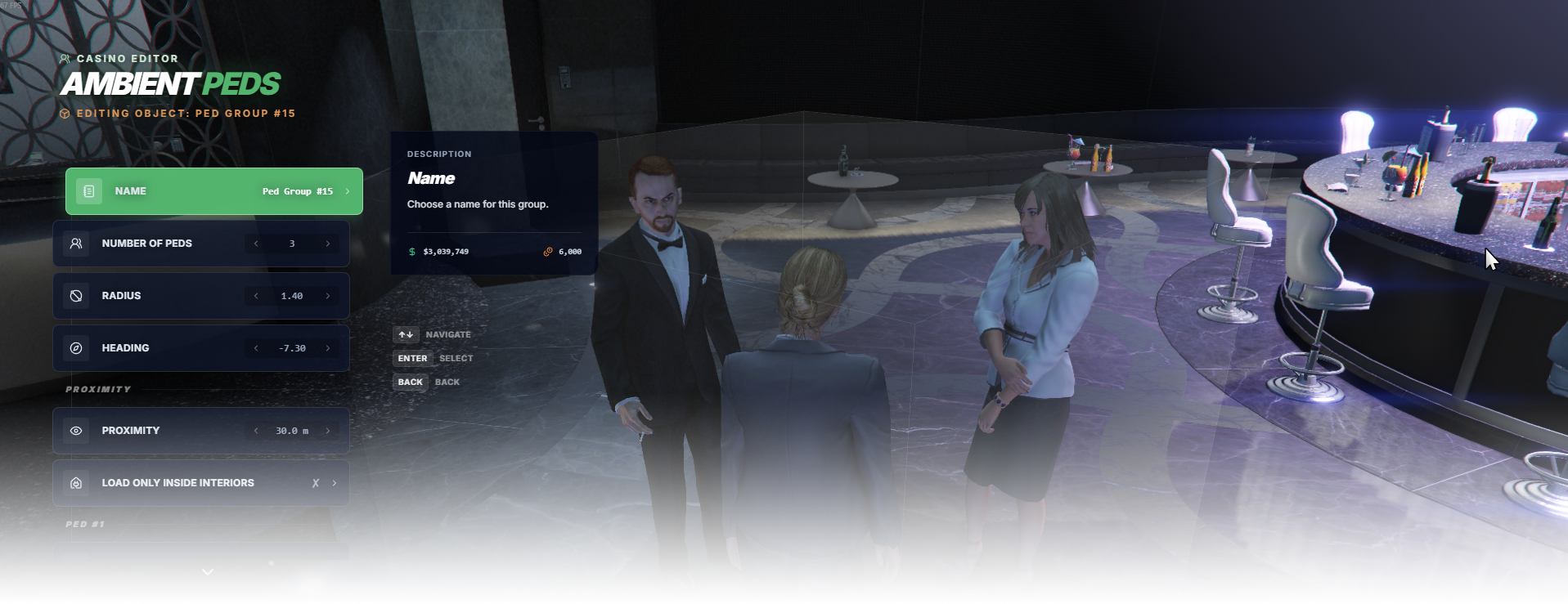
The **Ambient Peds** editor page manages ambient pedestrian groups used to populate the casino.

<div data-full-width="false"><figure><img src="https://1037498771-files.gitbook.io/~/files/v0/b/gitbook-x-prod.appspot.com/o/spaces%2F-MZErcztD5BvrKnwRGJq%2Fuploads%2Fgit-blob-eaef1de26ed5748b1f6a97cbecc091ffeaec534e%2Fcapt_ambientpeds.png?alt=media" alt=""><figcaption></figcaption></figure></div>

### Editor Settings

<table data-full-width="false"><thead><tr><th>Setting</th><th>Type</th><th>Info</th></tr></thead><tbody><tr><td>Name</td><td>Text</td><td>Choose a display name for the ambient ped group</td></tr><tr><td>Ped count</td><td>Number</td><td>Set how many ambient peds are in the group (up to 5)</td></tr><tr><td>Radius</td><td>Number</td><td>Set the spawn/distribution radius for the group</td></tr><tr><td>Heading</td><td>Number</td><td>Set the group heading direction</td></tr><tr><td>Ped 1-5 model</td><td>Select/List</td><td>Choose the NPC model for each ped slot</td></tr><tr><td>Ped 1-5 scenario</td><td>Select/List</td><td>Choose the scenario/animation behavior for each ped slot</td></tr><tr><td>Proximity</td><td>Number</td><td>Set proximity distance in meters</td></tr><tr><td>Load only interiors</td><td>Toggle</td><td>Load this ped group only while players are in interiors</td></tr></tbody></table>

## AmbientPedModels

Ambient ped models available in editor are defined in `rcore_casino/configs/ambientpeds.lua` in the `AmbientPedModels` list.

Only models from this list can be selected in the ambient ped editor for ped slots.

```lua
AmbientPedModels = {"a_f_m_bevhills_01", "a_f_m_bevhills_02", "a_f_m_ktown_01", "ADD_YOUR_PED_HERE"}
```

## AmbientScenarios

Ambient scenarios available in editor are defined in `rcore_casino/configs/ambientpeds.lua` in the `AmbientScenarios` list.

These are used by the editor's scenario selectors for each ped slot.

```lua
AmbientScenarios = {"PROP_HUMAN_SEAT_BENCH_DRINK_BEER", "PROP_HUMAN_SEAT_CHAIR_UPRIGHT", "PROP_HUMAN_SEAT_CHAIR_FOOD", "ADD_YOUR_SCENARIO_HERE"}
```

## AmbientAnimations

Ambient animation definitions are in `rcore_casino/configs/ambientpeds.lua` in the `AmbientAnimations` table.

Each animation entry defines animation dictionary + animation name

```lua
AmbientAnimations = {{
    name = "base",
    dict = "amb@world_human_cheering@female_c"
}, {
    name = "base",
    dict = "anim@amb@office@boardroom@boss@female@"
}, {
    name = "simple_inspect_v1_idartistfemale",
    dict = "anim@amb@business@cfid@cfid_desk_docs@"
}, {
    name = "ADD_YOUR_ANIM_NAME_HERE",
    dict = "ADD_YOUR_ANIM_DICT_HERE"
}}

```


---

# Agent Instructions: Querying This Documentation

If you need additional information that is not directly available in this page, you can query the documentation dynamically by asking a question.

Perform an HTTP GET request on the current page URL with the `ask` query parameter:

```
GET https://documentation.rcore.cz/paid-resources/rcore_casino/rcore_casino-2/editor/ambient-peds.md?ask=<question>
```

The question should be specific, self-contained, and written in natural language.
The response will contain a direct answer to the question and relevant excerpts and sources from the documentation.

Use this mechanism when the answer is not explicitly present in the current page, you need clarification or additional context, or you want to retrieve related documentation sections.
