> For the complete documentation index, see [llms.txt](https://documentation.rcore.cz/llms.txt). Markdown versions of documentation pages are available by appending `.md` to page URLs; this page is available as [Markdown](https://documentation.rcore.cz/paid-resources/rcore_casino/features/editor/walking-peds.md).

# Walking Peds

Managing Walking Peds in the Casino Editor

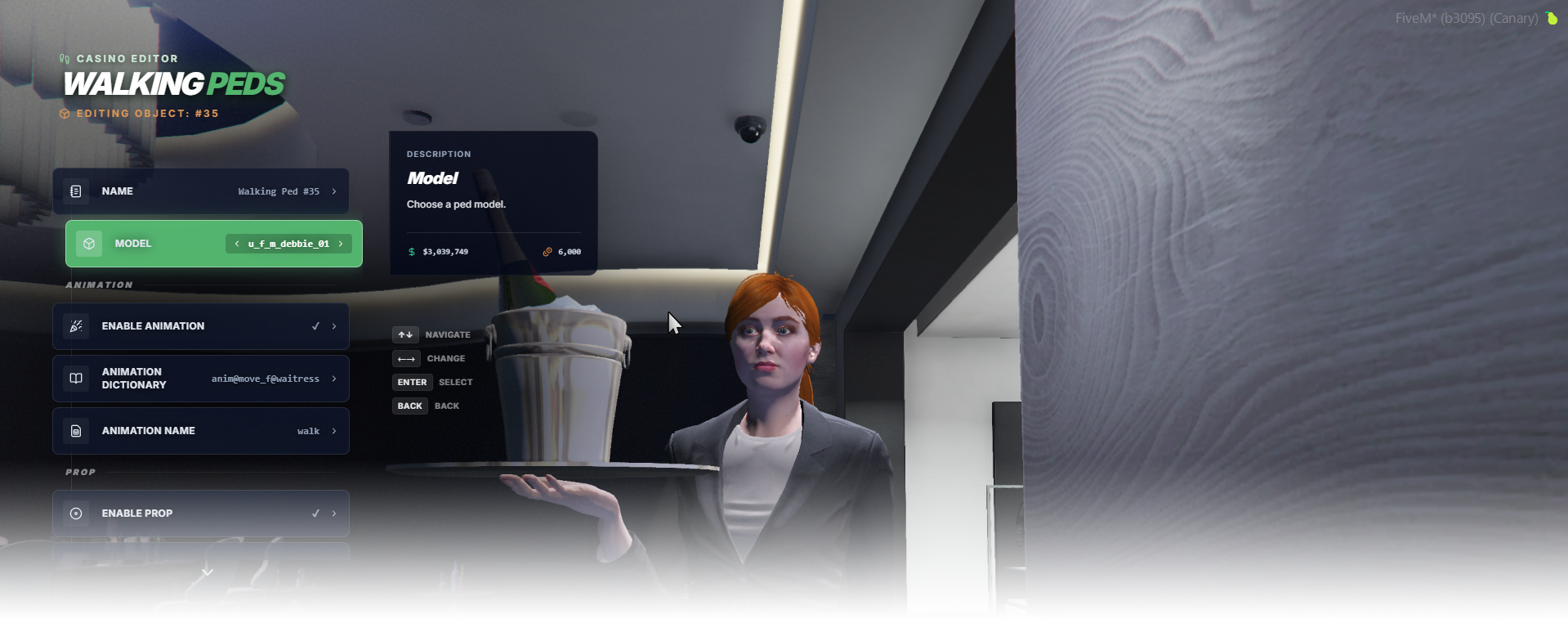
The Walking Peds editor page manages walking ambient peds used mainly for casino waitresses. These NPCs can carry props such as a tray with champagne and move along a predefined route recorded in the editor.

<div data-full-width="false"><figure><img src="https://1037498771-files.gitbook.io/~/files/v0/b/gitbook-x-prod.appspot.com/o/spaces%2F-MZErcztD5BvrKnwRGJq%2Fuploads%2Fgit-blob-8039b9d7b17f5f83e2af32f1b5ef19cf8ccdb529%2Fcapt_walkingpeds.png?alt=media" alt=""><figcaption></figcaption></figure></div>

### Editor Settings

<table data-full-width="false"><thead><tr><th>Setting</th><th>Info</th></tr></thead><tbody><tr><td>Name</td><td>Choose a display name for the walking ped</td></tr><tr><td>Model</td><td>Set ped model used for this walking ped profile</td></tr><tr><td>Variation</td><td>Choose how the walking ped looks</td></tr><tr><td>Enable Animation</td><td>Enable/disable custom animation dict/name override</td></tr><tr><td>Animation Dictionary</td><td>Set animation dictionary when animation override is enabled</td></tr><tr><td>Animation Name</td><td>Set animation clip name when animation override is enabled</td></tr><tr><td>Enable Prop</td><td>Enable/disable carried prop attachment</td></tr><tr><td>Prop Model</td><td>Set prop model attached to ped</td></tr><tr><td>Attach Bone</td><td>Set ped bone id used for prop attach</td></tr><tr><td>Prop Attach Coords (X/Y/Z)</td><td>Set prop local position offset</td></tr><tr><td>Prop Attach Rotation (X/Y/Z)</td><td>Set prop local rotation offset</td></tr><tr><td>Record Walking Route</td><td>Open route recording page for step capture</td></tr><tr><td>Add Ped</td><td>Create a new walking ped at current player spawn coords/heading</td></tr><tr><td>Delete Ped</td><td>Delete selected walking ped</td></tr></tbody></table>

## Route recording

Walking ped paths are stored in `steps` and can be recorded directly in editor.

{% embed url="<https://files.gitbook.com/v0/b/gitbook-x-prod.appspot.com/o/spaces%2FFicarM3Z9iXA9Tfz78vZ%2Fuploads%2FFTCFt2kLSXPqbVo3AWwy%2Fwp_recordroute.mp4?alt=media&token=2408ca0a-daa2-4f92-956e-556e5da183fd>" %}

## WalkingPedModels

Selectable walking ped models are defined in `configs/peds/walkingpeds.lua` in `WalkingPedModels`.

Only models from this list are available when cycling the ped model in editor.

```lua
WalkingPedModels = {
    "s_f_y_casino_01",
    "u_f_m_casinocash_01",
    "u_f_m_casinoshop_01",
    "u_f_m_debbie_01",
    "u_f_o_moviestar",
    "ADD_YOUR_PED_MODEL_HERE",
}
```